Two jobs: knowing where, and acting on where
Location in DeepManage serves two purposes. The first is visibility: where is each device now, and where has it been. The second is control: devices should behave differently on a construction site, inside a secure facility or outside a sales territory. The second job is where geofencing comes in.
Seeing where devices are
Location reporting is a policy setting. When it is on, the agent sends its position with the rest of its data, either in normal mode or in a more precise mode for cases that need it.
In the console you get:
- a fleet map on the home page with every device’s last position, filtered by online and offline,
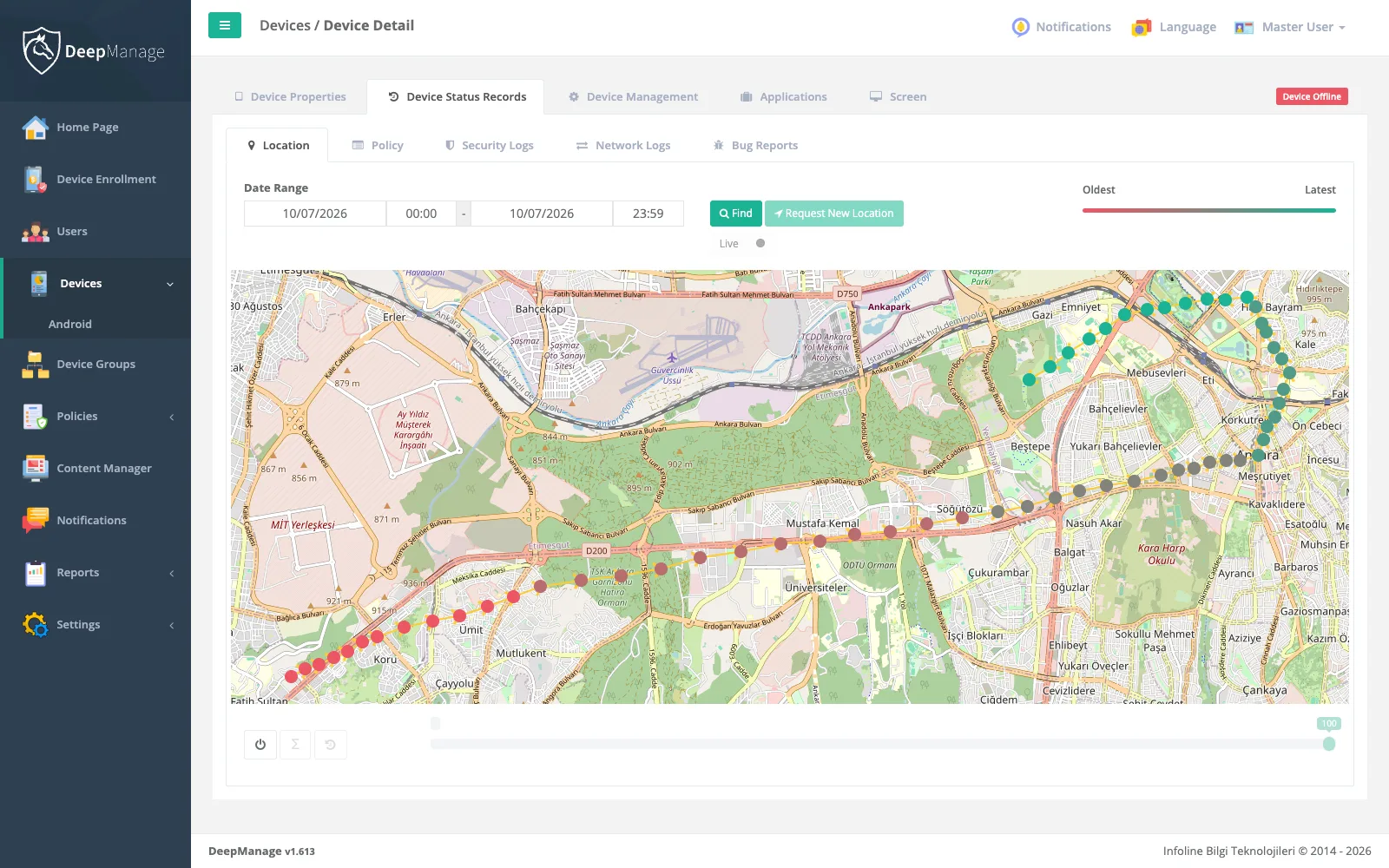
- a location page for each device with its history over a date range, colour-coded from oldest to latest,
- a Request New Location button for a fresh position,
- a Live mode that keeps refreshing the map while you watch a device move.
Drawing areas and using them
Areas are managed as regions. You build a hierarchy, for example country, city and site, and draw the boundary of each region on a map. Regions can also hold users, and regions synced from your directory are kept apart from those you create by hand.
Any region can then be used in the coverage of:
| Item | Example inside the area |
|---|---|
| Policy | Camera, USB and screenshots off inside a secure facility |
| Policy | Kiosk mode on only inside a store |
| File or app | Site safety documents available only on site |
| Notification | A message shown only to devices at a given depot |
The device decides for itself whether it is inside an area, using its last known position. As it crosses the boundary, the rule switches on or off at the next policy check. When an area policy stops applying, the next policy in priority order takes over, so you control what happens on exit as well as on entry. Area-based files are handled by content management.
Lost and stolen devices
Every device has a state. Setting it to Lost/Stolen sends a notification to the administrators you choose, and another one when the device next connects. A policy scoped to that state can lock the screen and switch on precise tracking. From the device page you can make it ring for 30 seconds, lock it or wipe it. Stronger protection is described on the security and compliance page.
Privacy
Location data about employees needs care. Collect it only for a clear purpose, tell users about it and limit who can see it. DeepManage supports this by tying location reporting to policies and by controlling console access with roles. Our guide on MDM and data protection covers KVKK and GDPR in more detail.
Limits
Location accuracy depends on the device’s GPS, Wi-Fi and mobile signal, and on the user leaving location services on. A policy can stop users from switching location off on fully managed devices.