DeepManage

Use cases

Kiosk and dedicated single-purpose devices (COSU)

Some devices have one job: take orders, show information, scan parcels or run an exam. Kiosk mode makes sure that is all they do.

Who it is for

  • Retail stores with customer tablets, price checkers and handhelds
  • Logistics and transport teams using scanners and vehicle tablets
  • Schools running exams or classroom apps on shared tablets
  • Hotels, clinics and public offices with self-service screens

Common problems

  1. Users leave the app

    Customers or staff press home, open the browser or play games, and the device stops doing its job.

  2. Settings get changed

    Someone turns off Wi-Fi, changes the language or disables the app, and a technician has to visit the site.

  3. Devices are spread across many sites

    Hundreds of screens in stores, stations or vehicles need the same app version and the same setup, and visiting each one is not practical.

How to set it up in DeepManage

  1. Step 1

    Enroll the device as fully managed

    Enroll a new or reset device with QR code or NFC. Use userless enrollment when the device is not assigned to a person.

  2. Step 2

    Choose the kiosk apps

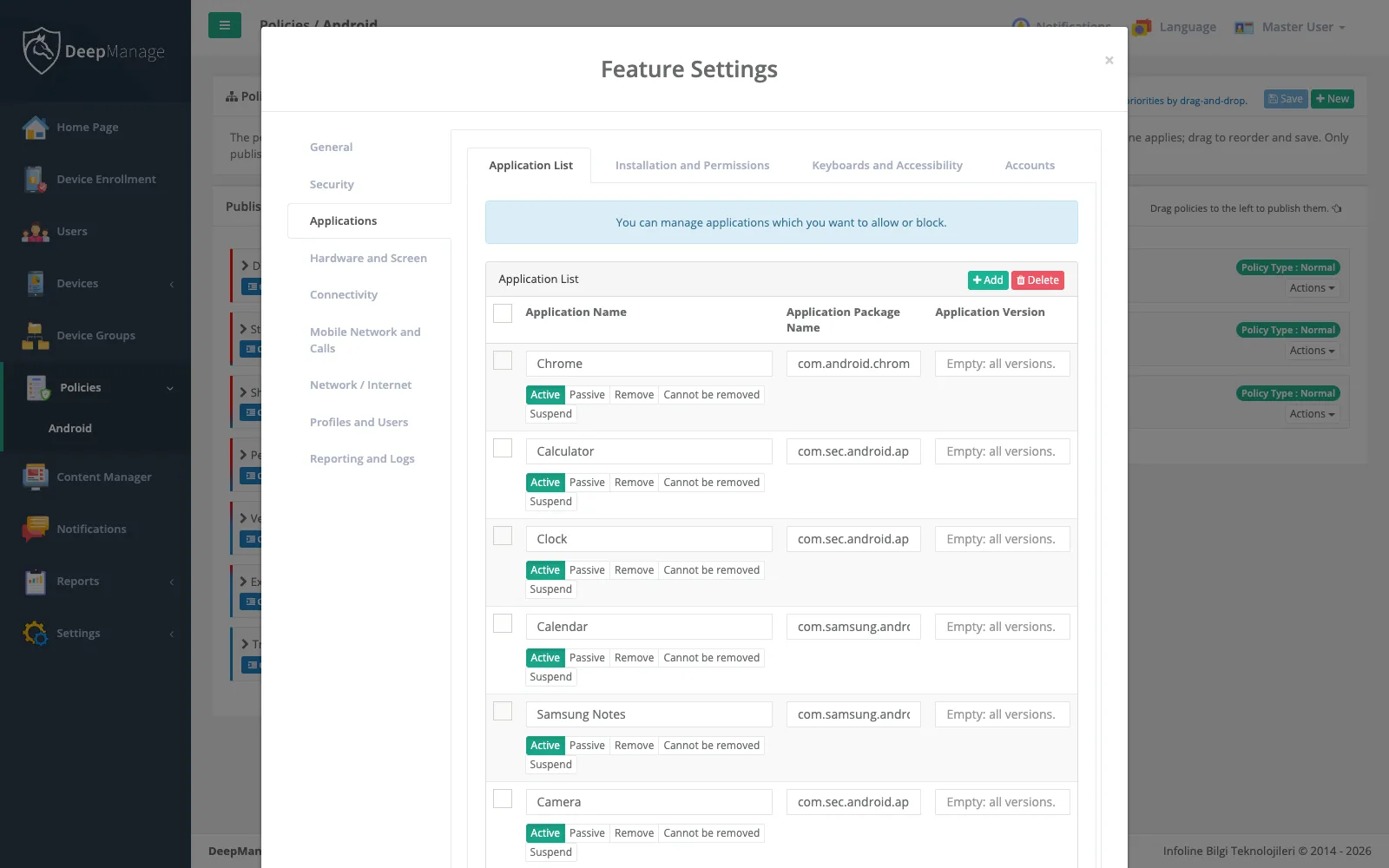
    In the policy, add the app or apps the device may run and turn on kiosk mode. One app opens directly; several apps appear on a locked launcher.

  3. Step 3

    Set the hardware rules

    Decide whether the status bar, volume control, camera and USB stay available. In kiosk mode the screen stays on while the device is charging.

  4. Step 4

    Manage the fleet remotely

    Update the kiosk app silently, push content, and use Live Control to see what is on a screen without travelling.

Screenshot: Kiosk and dedicated single-purpose devices (COSU)

What a dedicated device is

A dedicated device is a company-owned Android device that exists for one task. Google’s term is dedicated device; many MDM documents still call it COSU (Corporate-Owned, Single-Use). Typical examples are a self-service tablet in a store, a handheld scanner in a warehouse, a tablet mounted in a vehicle, a check-in screen in a hotel lobby or a tablet used for an exam.

These devices are usually not assigned to one person, run in public or busy places and are often far from the IT team. That is why they need to be locked down more tightly than a normal work phone. For background, read what kiosk mode is.

How kiosk mode works on Android

Android has a built-in feature called lock task mode. Only the device owner app can use it, which is why dedicated devices are enrolled as fully managed. In lock task mode, the device runs only the apps on an allow list, and the home, recent apps and notification areas are hidden or limited.

DeepManage controls this through the policy:

  • Single-app kiosk: one app opens at start and the user cannot leave it.
  • Multi-app kiosk: a locked launcher shows only the approved apps.
  • Hardware and system options: status bar, volume control, camera, USB and other features follow the same policy.

See the kiosk mode feature page for the full list.

Running many devices without site visits

A kiosk fleet is only useful if it stays up to date. With app management, new versions of the kiosk app install silently on every device in the group. With content management, you can deliver files such as menus, price lists or training material. When a screen shows an error, a Live Control session lets support staff see the screen and fix it remotely.

Kiosk devices shared by several people

Some dedicated devices are also shared, for example handhelds that change hands between shifts. If you need to know who used a device, combine kiosk mode with the sign-in options described on the shared devices page.

Where dedicated devices are used

Kiosk and dedicated devices are common in retail, transport and logistics, education and hospitality. In heavy industry, rugged tablets are often locked to a single safety or maintenance app.

Frequently asked questions

What does COSU mean?

COSU stands for Corporate-Owned, Single-Use. Google now calls these dedicated devices. They belong to the organization and serve one purpose, such as a kiosk, a scanner or a vehicle tablet.

Can a device run more than one app in kiosk mode?

Yes. If the policy lists one app, the device opens it directly. If it lists several, DeepManage shows a locked launcher with only those apps.

What happens after a restart or power cut?

The device returns to kiosk mode on its own and opens the kiosk app again. Users do not see the normal home screen in between.

Can an administrator exit kiosk mode on the device?

Kiosk mode is controlled by the policy, so the usual way is to change the policy from the console. The change reaches the device without anyone touching it.

See DeepManage on your own devices

Tell us about your fleet and we will prepare a demo environment for your team.