DeepManage

Use cases

Embedded and rugged hardware

Not every Android device looks like a phone. Radios, rugged handhelds, vehicle terminals and other embedded devices run Android too, and they need the same central control.

Who it is for

  • Manufacturers of Android-based radios, terminals and special devices
  • Defense and security organizations with hardened devices
  • Industrial and mining operations using rugged tablets and handhelds
  • Transport operators with vehicle and station terminals

Common problems

  1. No screen, store or user in the usual sense

    Many embedded devices have no app store account, no assigned user and a limited interface, so normal setup steps do not apply.

  2. Firmware and app updates are hard to roll out

    Updates are installed by hand with cables or service tools, and devices in the field run different versions.

  3. They often run in closed networks

    Devices in defense, energy or industry cannot reach the internet, so a cloud-only service is not an option.

How to set it up in DeepManage

  1. Step 1

    Choose how the agent is installed

    Enroll the device as fully managed with a QR code, or work with the device maker to include the DeepManage agent in the firmware.

  2. Step 2

    Enroll without a user

    Use userless enrollment so the device joins the right group and policy without anyone signing in.

  3. Step 3

    Lock the device to its purpose

    Apply kiosk mode and hardware restrictions so only the device's own apps and functions are available.

  4. Step 4

    Update and monitor centrally

    Push app updates and OTA system update packages, set update windows, and watch device status from the console.

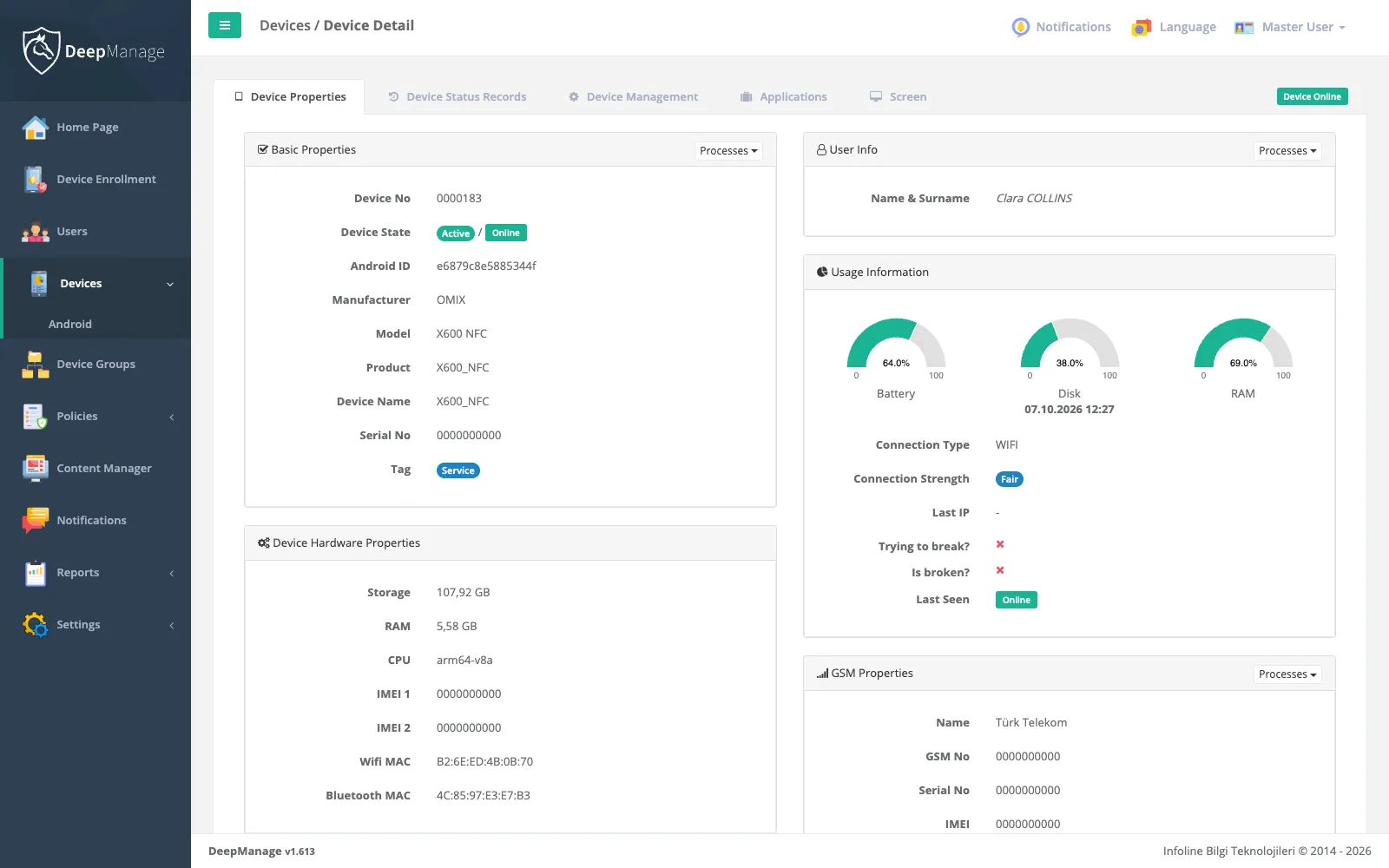
Screenshot: Embedded and rugged hardware

What embedded and rugged device management means

Android is used far beyond phones. It runs on rugged handhelds, two-way radios, vehicle terminals, industrial panels and other special-purpose hardware. These devices are often called embedded devices, because Android is part of a product rather than a general-purpose phone.

They need central management for the same reasons as phones: security rules, controlled apps, updates and remote support. But they bring their own constraints. There may be no Google account, no assigned user, a small screen or no internet access.

Management at the software layer

DeepManage works at the Android software layer, so the same agent and console manage phones, tablets and embedded devices. There are two ways to bring a device under management:

  • Standard enrollment: the device is enrolled as fully managed with QR code or NFC, like any company-owned device. See device enrollment.
  • Built-in agent: the device maker includes DeepManage in the firmware as a system app. This suits products that ship in volume or that do not support the standard enrollment flows.

In both cases, devices can be enrolled without a user and placed in the right group automatically.

Locked to their purpose

Embedded devices usually do one job. Kiosk mode keeps them on their own app or launcher, and policies switch off the hardware and system features the device should not expose, such as USB storage, the camera or developer options.

Updates without service tools

App management installs and updates the device’s apps silently. On Android 10 and later, DeepManage can also install OTA system update packages that you deliver from the console, and a system update policy controls when updates may run. When something needs a closer look, support staff can collect logs or open a Live Control session where the device supports it.

Security and closed networks

Device integrity checks and remote lock and wipe are described on security and compliance. Many embedded fleets run in networks without internet access. DeepManage can be installed on-premises in such networks, see cloud vs on-premises MDM and deployment options.

Where it is used

Embedded and rugged Android devices are common in defense and security, mining and heavy industry, transport and logistics and energy and utilities. If you build Android-based hardware and want to include DeepManage, contact us.

Frequently asked questions

Can DeepManage run on devices without Google services?

The DeepManage agent does not depend on Google Play services, and devices talk to your own DeepManage server. Zero-touch enrollment does need Google services, so on such devices use QR enrollment where the device supports it, or the built-in agent.

What does it mean to build the agent into the firmware?

The device maker includes DeepManage as a system app in the device image, signed with the maker's platform key. The device is then manageable from the first start, without a separate enrollment app.

Can system updates be installed remotely?

On Android 10 and later, a fully managed device can install an OTA update package delivered from the console. You can also set a system update policy, for example an installation window at night.

Do embedded devices need internet access?

No. With an on-premises installation, the server runs inside your own network and devices connect to it there.

See DeepManage on your own devices

Tell us about your fleet and we will prepare a demo environment for your team.