DeepManage

Features

Reports and monitoring for Android fleets

Answer questions about your fleet in a few clicks, such as which devices are online, which run an old Android version, which are running out of storage and which have not been used for weeks.

Dashboard and fleet reports

What you can do

  1. Dashboard

    Total, active and online devices, user count, connection status, device state distribution, management mode and a map of device locations on one screen.

  2. Hardware and Android version

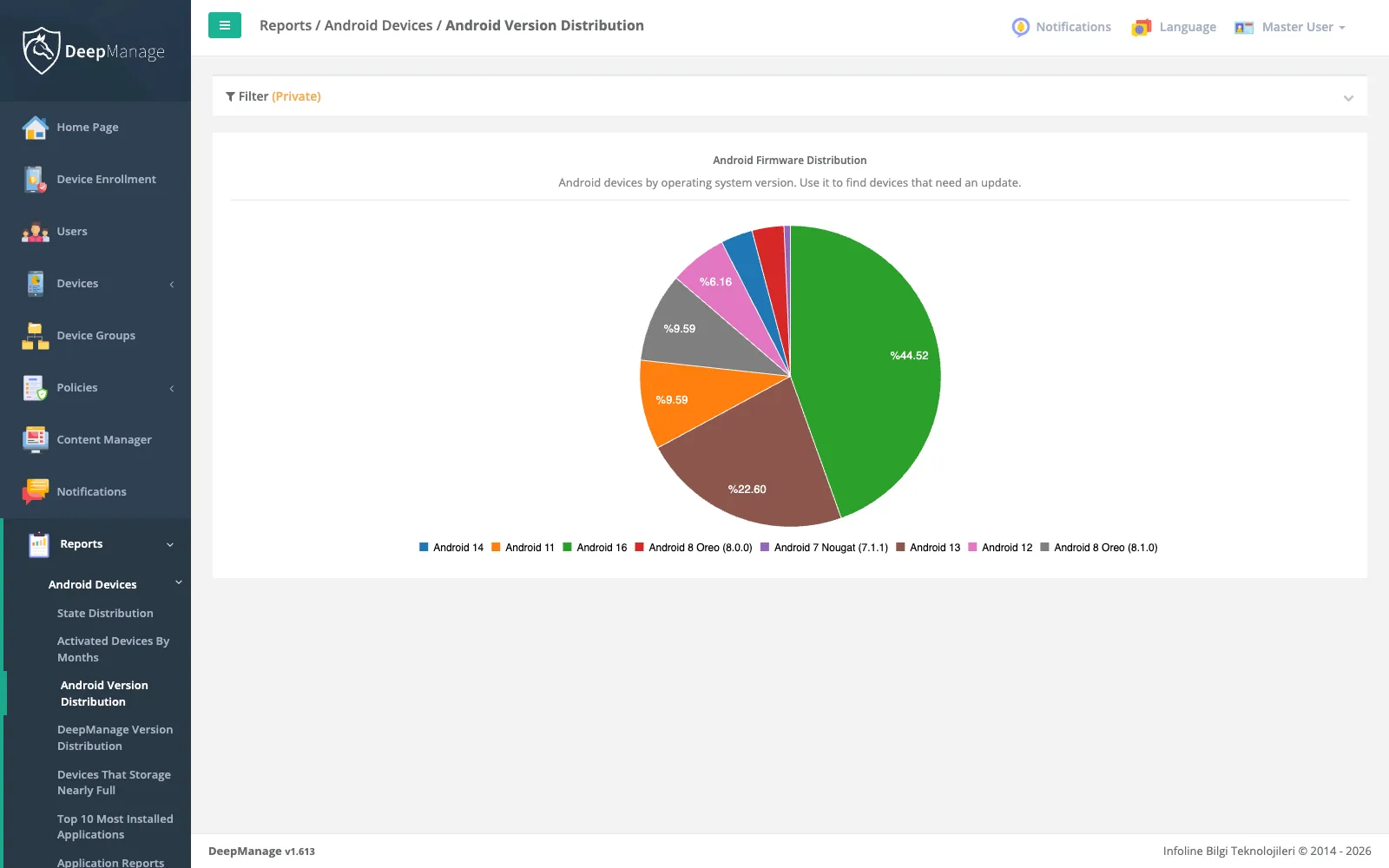
    Manufacturer, model, serial and IMEI per device, plus a history of Android version and build changes and fleet-wide version distribution.

  3. Usage and storage

    Battery, storage, CPU and memory use over time, with a report of devices whose storage is nearly full.

  4. Network, mobile data and SIM

    Total and mobile data use per device, a mobile data report across the fleet, and SIM, carrier and phone number history.

  5. Apps and activity

    Top installed apps, devices with or without an app, most used hours, unused devices and users who have not connected.

  6. Logs when you need them

    Call history, Android security logs and network logs are collected only when a policy turns them on, and are shown in the device detail.

  7. Excel export

    Device lists, reports and histories export to Excel files with the filters you applied.

  8. Data retention

    Set how many days location, call, network, usage, log and console activity records are kept. Older records are deleted every night.

What problems it solves

Without reports, a fleet is a list of serial numbers. IT teams need to plan Android upgrades, find devices that are about to fail, justify the budget and spot devices that sit unused in a drawer.

  • Visibility: one dashboard for the whole fleet.
  • History: every device keeps its own timeline of versions, users, states and policies.
  • Evidence: reports export to Excel for audits and budget planning.

The dashboard

The home page of the console answers the first questions of the day. It shows how many devices are enrolled, active and online right now, how many users there are, and how devices split by state and by management mode. A map tab shows the last known location of devices, and a connection chart shows how many devices connected on each of the last seven days.

The device detail

Every device page brings together:

  • hardware and identity (manufacturer, model, serial, IMEI, device certificate),
  • Android version history and DeepManage agent version history, with the management mode (fully managed or work profile),
  • battery, storage, CPU and memory history,
  • network usage history split into total and mobile data,
  • SIM card and phone number history,
  • the policies in force, policy results and errors, and policy history,
  • state changes (active, in service, lost or stolen) and user history,
  • installed apps and location history.

Fleet reports

Group Reports
Versions Android version distribution, DeepManage version distribution
Structure Distribution by state, role, profile, device group, division and department
Gaps Devices without an organization or device group, unused devices, users who have not connected
Apps Top 10 installed apps, app reports with install counts and most used hours
Resources Devices with nearly full storage, mobile data report, GSM and SIM reports
Growth Devices activated by month

Push messages sent through the API have their own report, described on the messaging page. Policy results for each device are explained on the policies page.

Personal data and KVKK

Some records describe a person, not only a device: location, call history and network logs (DNS lookups and connections). DeepManage collects call history, security logs and network logs only when a policy turns them on, so you can limit them to the devices where you have a reason. Set short retention periods, restrict who can view these reports with roles and permissions, and inform employees before you start. Our KVKK and GDPR guide covers the basics. This is general information, not legal advice.

Frequently asked questions

How current is the data?

Online status is live through the real-time connection. Inventory and usage data are sent at each synchronization, whose interval you set in the policy.

Can I filter reports by organization or group?

Yes. Reports and lists filter by organization, department, division, device group, role, profile, user, manufacturer, model, Android version, device state and date range.

Does DeepManage read call contents or messages?

No. When call history is turned on in a policy, the device sends call records (number, direction, date and duration), not call audio or message contents.

How long is data kept?

Each organization sets a retention period per record type in system settings. Empty fields use the default, and 0 keeps the records. For some record types the latest record of each device is always kept.

Can I connect reports to my own BI tool?

You can export any list to Excel today. For direct access from another system, talk to us about the API described on the identity and integrations page.

See DeepManage on your own devices

Tell us about your fleet and we will prepare a demo environment for your team.