What problems it solves
E-mail and chat apps do not suit every fleet. Shared tablets have no personal account, closed networks have no access to public push services, and an urgent instruction for one region should not reach the whole company.
- Reach: messages go to the device itself, not to a personal account.
- Precision: the same scope rules as policies decide who receives what.
- Proof: delivery and read reports show who has seen a message.
How a notification is sent
- Write a title and the message text.
- Set the scope. The scope wizard has steps for devices (state, group, model, Android version), people (user, role, profile, date and time) and the map. Organizations and departments can be selected too.
- Set the start and end dates and publish.
Devices in scope receive the message at once if they are online, or at their next connection. Because scope rules are evaluated on the device, a message limited to a map region or a time window appears only where and when it applies. The same scope wizard is used for policies and for files in content management.
Reports
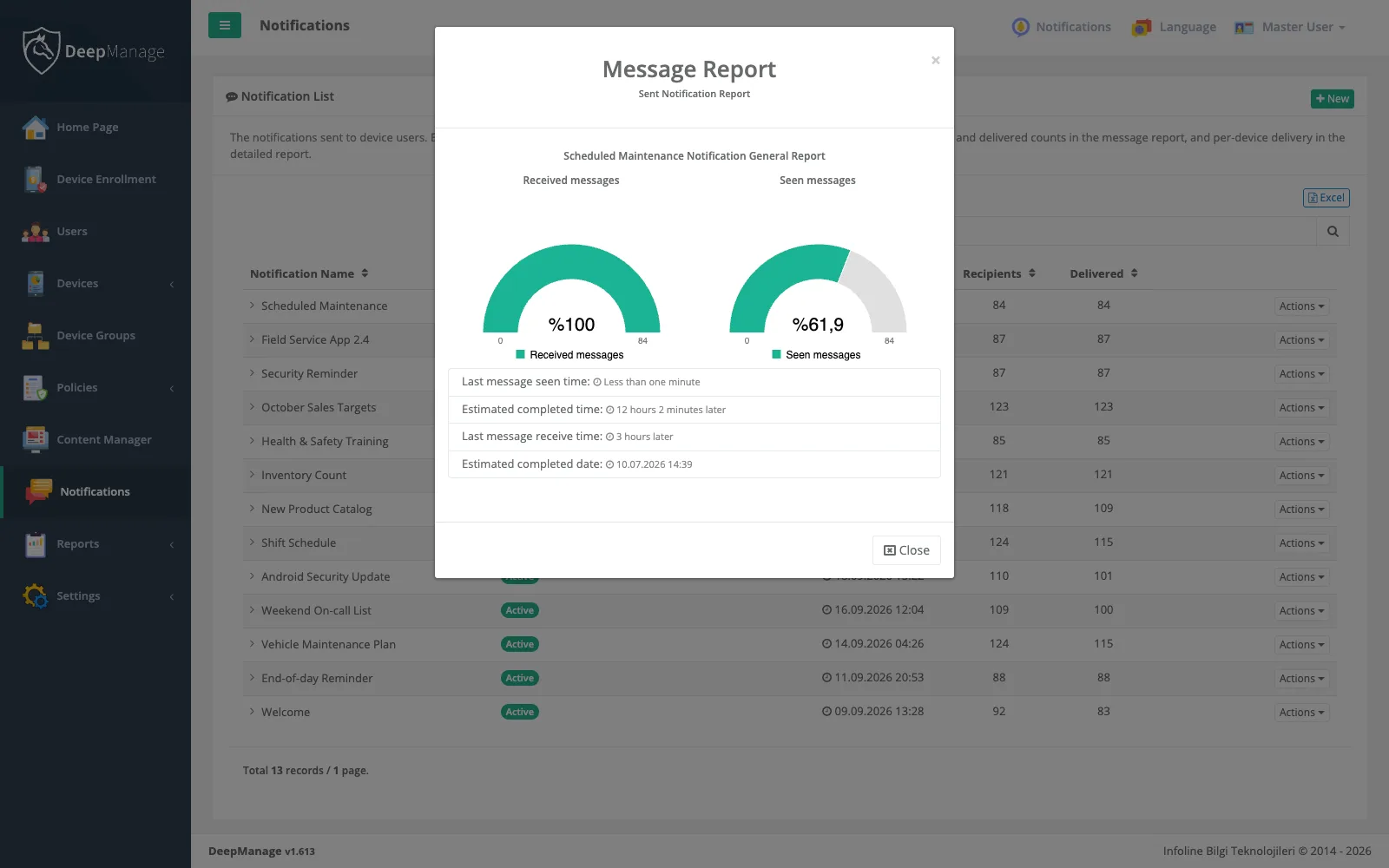
The message report shows how many users received the message and how many read it, when the last one arrived and when the last one was seen. The detailed report lists every device with its delivery status, time difference and read time. Notifications you send through the push API have their own report in Reports, with sent, failed and expired counts per application.
Alerts for administrators
Some events need a person. In system settings you choose who is told, and how, when:
- a device is set to lost or stolen, or a lost device connects again,
- a device’s policy changes,
- a device becomes noncompliant under the security and compliance rules.
Push for in-house apps
If your field app needs to hear from your back-end system, it does not need its own push service. The push API sends a data message to a chosen device, list of devices, user or list of users. A separate endpoint accepts device group or organization codes. Each message has a lifetime, and you can check its status or delete it before delivery.
Read more about field teams and shared devices, where targeted messages matter most.