DeepManage

Use cases

Work profile on personal devices (BYOD and COPE)

When staff use their own phones for work, the company needs control over work data, and the employee needs their personal life to stay personal. The Android work profile gives both.

Who it is for

  • Organizations that let staff use their own phones for work
  • Teams that need work apps on personal devices for a short project
  • Companies issuing devices that staff may also use personally (COPE)
  • Privacy and HR teams who must protect employee data

Common problems

  1. Work data on unmanaged phones

    Work email, files and chat sit next to personal apps, with no way to remove them when the employee leaves.

  2. Employees fear being watched

    Staff refuse to enroll their phone because they believe IT will read their messages or see their photos.

  3. Full wipe is not an option

    Erasing a personal phone to remove work data would also erase the employee's own photos and contacts.

How to set it up in DeepManage

  1. Step 1

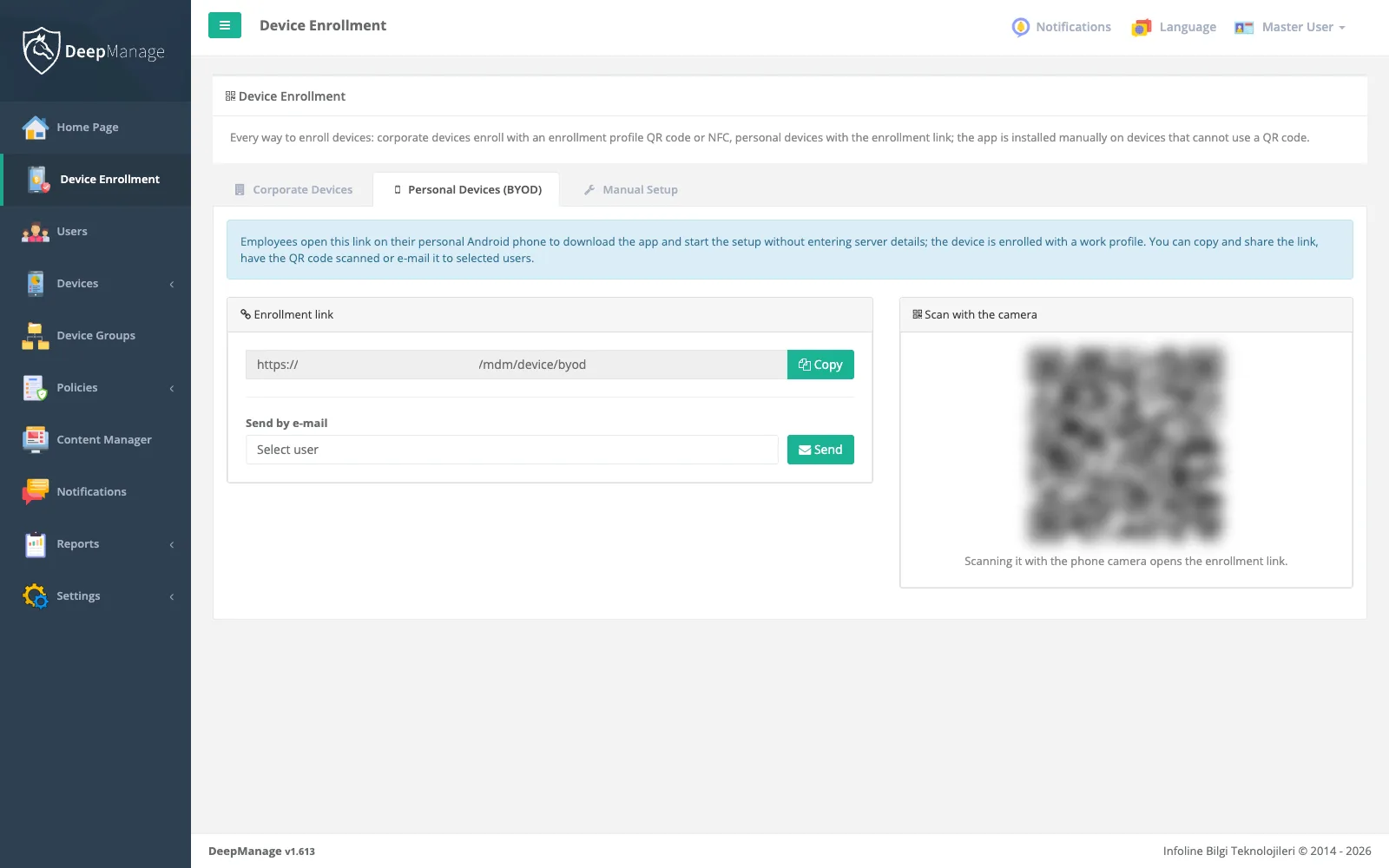
    Prepare an enrollment link or QR code

    Create a BYOD enrollment link in the console and share it with staff, together with a short note on what IT can and cannot see.

  2. Step 2

    Employee creates the work profile

    The employee installs DeepManage, opens the link and follows Android's own work profile setup. Work apps appear with a briefcase badge.

  3. Step 3

    Assign a work profile policy

    Apply password rules, app restrictions and the work apps that should install inside the profile.

  4. Step 4

    Remove the profile when work ends

    When the employee leaves or the device is lost, remove the work profile remotely. Personal data stays untouched.

Screenshot: Work profile on personal devices (BYOD and COPE)

What BYOD and the work profile are

BYOD (Bring Your Own Device) means employees use their own phones for work. The challenge is to protect work data without taking control of a phone the company does not own.

Android solves this with the work profile. It is a separate area on the phone with its own apps and data. Work apps show a briefcase badge, and the work and personal sides cannot read each other’s data. The management app becomes the profile owner of the work profile only, not the owner of the device. See device ownership models and what Android Enterprise is.

What IT can and cannot do

With DeepManage on a personally owned device:

IT can IT cannot
Install, update and remove work apps in the profile See or manage personal apps
Apply password and security rules to the profile Read personal messages, photos or files
Restrict sharing between work and personal apps Wipe the whole phone
Remove the work profile and all work data Share or capture the screen

Some policies that would reach beyond the work profile, such as Wi-Fi or screen capture settings, are not applied on personally owned devices. Live Control is also refused there, because the shared screen would include personal apps.

How enrollment works

The employee installs DeepManage and opens the enrollment link or QR code from IT. DeepManage then starts Android’s standard work profile setup, which explains to the employee what is being created. After setup, DeepManage runs inside the work profile and receives its policy. Enrollment can be tied to a named user or done without a user and assigned later. More on the device enrollment page.

On older or unusual devices where Android does not allow a work profile, DeepManage tells the user before going on and enrolls as a basic device admin, which supports fewer policies.

COPE: company-owned, personally enabled

In COPE, the company owns the phone but allows personal use. On Android 11 and later, the device is enrolled during setup with a work profile and marked as organization-owned. The work profile is managed as in BYOD, and IT can also apply some device-wide rules, while the personal side stays private.

Privacy and data protection

A work profile helps you respect employee privacy, but you still need to tell employees what is collected and why. Read MDM and data protection for an overview of KVKK and GDPR duties. This is general information, not legal advice. Device-side terms acceptance is covered on the security and compliance page.

Frequently asked questions

Can IT see my personal apps, photos or messages?

No. Android keeps the work profile separate from the personal side, and DeepManage manages only the work profile. Screen sharing and screenshots are switched off on personally owned devices because they would show personal apps.

What happens if I leave the company?

IT removes the work profile. All work apps and data in it are deleted, and your personal apps and data are not affected.

Can I turn work apps off after hours?

Yes. Android lets you pause the work profile. Work apps stop until you turn it back on. DeepManage records when the profile resumes and syncs right away.

What is the difference between BYOD and COPE?

In BYOD the employee owns the phone. In COPE the company owns it and allows personal use. Both use a work profile, but on a COPE device (Android 11 and later) the company can also apply some device-wide rules.

See DeepManage on your own devices

Tell us about your fleet and we will prepare a demo environment for your team.