DeepManage

Use cases

Managing company-owned devices (COBO)

When the organization buys the device and it is used only for work, IT can and should control all of it. This is the most common and the most complete way to manage Android devices.

Who it is for

  • IT teams issuing phones and tablets to staff
  • Public institutions with strict data and security rules
  • Organizations replacing manual device setup with central management
  • Security and compliance officers who need audit trails

Common problems

  1. Every device is set up by hand

    IT installs apps, enters Wi-Fi and accounts and applies settings one device at a time, and each one ends up slightly different.

  2. Unapproved apps and settings

    Users install whatever they like, turn off the screen lock or connect USB storage, and the device drifts away from company rules.

  3. Lost devices are a data risk

    A phone left in a taxi still holds work email, files and app data, and nobody can lock or erase it.

  4. No clear inventory

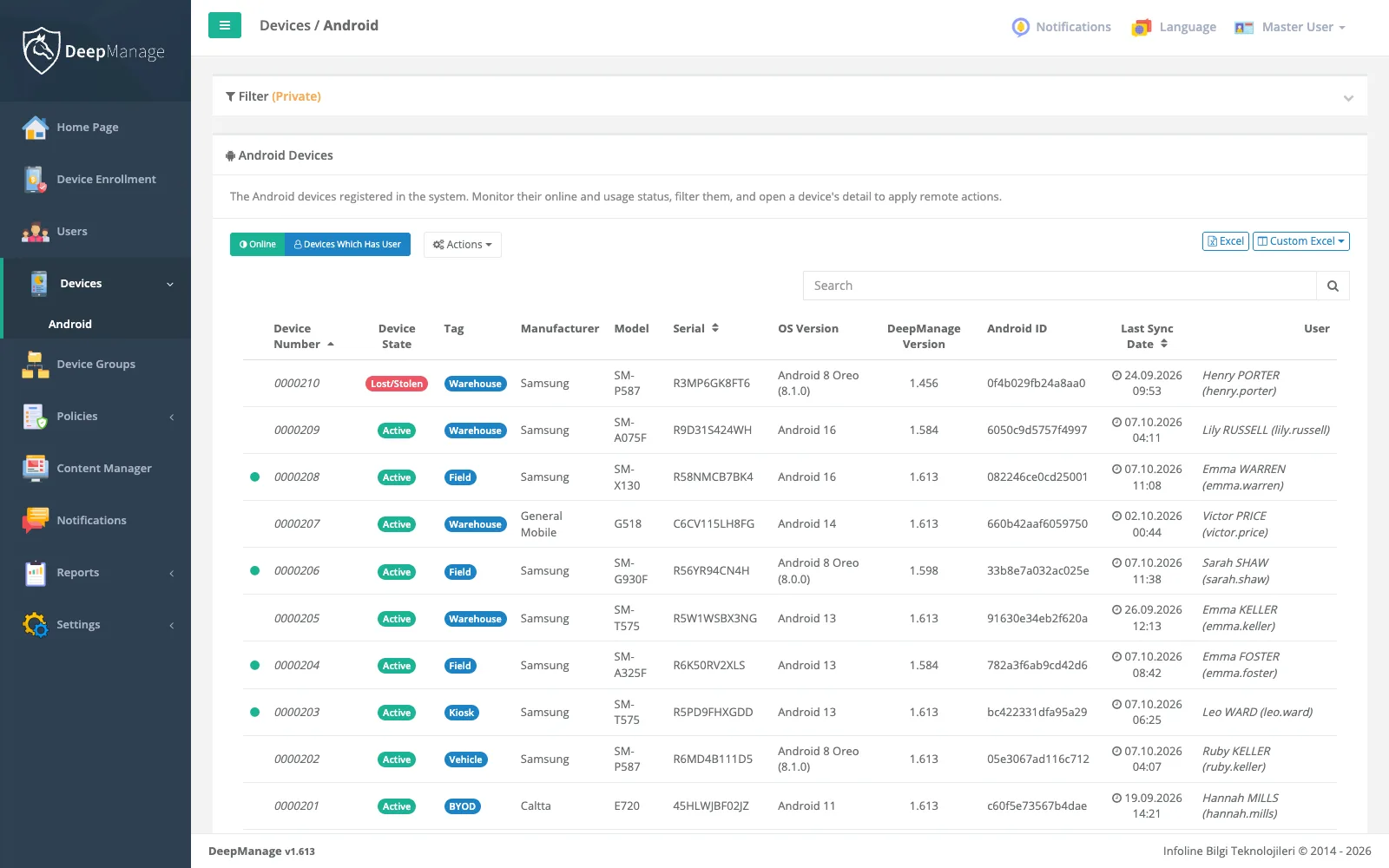
    IT cannot say which devices exist, who holds them, which Android version they run or when they last checked in.

How to set it up in DeepManage

  1. Step 1

    Enroll as fully managed

    Start from a new or factory-reset device and enroll it with a QR code or NFC. DeepManage becomes the device owner.

  2. Step 2

    Create groups and policies

    Group devices by department or region and assign a policy with password rules and hardware and OS restrictions to each group.

  3. Step 3

    Push the business apps

    Add your apps to the policy. They install and update silently, and you can block apps that should not run.

  4. Step 4

    Monitor and act

    Watch compliance, location and inventory reports, and lock, wipe or start Live Control when a device needs attention.

Screenshot: Managing company-owned devices (COBO)

What company-owned device management means

In the company-owned, business-only model (COBO), the organization buys the phone or tablet, gives it to an employee and expects it to be used for work. Because there is no personal side to protect, IT can manage the whole device: which apps exist, which settings can change, how the screen is locked and what happens when the device is lost.

On Android this is called a fully managed device. During setup, the management app is made the device owner, which gives it the strongest set of controls Android offers. You can read more about the model in device ownership models and what Android Enterprise is.

What IT can control

Once a device is enrolled, DeepManage applies the policy of its group. A typical policy for company-owned devices includes:

  • Security rules: screen lock and password requirements, and blocking of factory reset or USB file transfer.
  • Hardware and OS restrictions: turn off the camera, Bluetooth, USB storage or developer options where they are not needed. See policies and restrictions.
  • Apps: business apps installed and updated silently, with allow and block lists. See app management.
  • Inventory and reports: hardware, OS version, network and usage data for every device, ready to export from reports.

When something goes wrong, the console gives you direct actions: lock the device, make it ring, wipe it, or open a Live Control session to see and fix the screen remotely.

Enrollment without manual work

Fully managed devices are enrolled from the setup screen of a new or reset device. DeepManage supports QR code and NFC enrollment, and enrollment profiles decide which group and policy a device joins. A device can be enrolled for a named user or as a userless device and paired with a user later. Details are on the device enrollment page.

Keeping control after the first day

Company-owned devices change hands, travel and get lost. With location and geofencing you can see where a device was last reported, and with security and compliance rules a non-compliant device can be restricted automatically until it is fixed.

Cloud or on-premises

Organizations with strict data rules, such as public institutions and defense, often run DeepManage on their own servers. Others prefer the cloud service. Both run the same product with the same features; compare them on the deployment options page.

Is COBO the right model for you

COBO fits when the device belongs to the organization and is used only for work. If staff use their own phones, a work profile on personal devices is the better fit. If the device runs a single app for everyone, look at kiosk and dedicated devices.

Frequently asked questions

What does COBO mean?

COBO stands for Corporate-Owned, Business-Only. The organization owns the device and it is meant for work use only, so IT manages the whole device rather than a separate work area.

Do I need to factory reset devices that are already in use?

Yes, in most cases. Android only lets an app become the device owner during setup, so a device already in use is reset once and then enrolled with a QR code or NFC.

Can users still install their own apps?

That is your decision. You can allow only the apps in the policy, block specific apps, or leave the app store open with restrictions.

Can we keep all device data inside our own network?

Yes. DeepManage can be installed on-premises, including in closed networks without internet access, so device and user data stay on your servers.

See DeepManage on your own devices

Tell us about your fleet and we will prepare a demo environment for your team.